
Nginx 使用 HTTP Basic Authentication 来限制访问
原文地址 : Restricting Access with HTTP Basic Authentication
介绍
你可以通过使用用户名/密码身份验证来限制对网站或网站某些部分的访问。用户名和密码取自密码文件, 这个文件通常使用密码文件创建工具来生成, 例如: apache2-utils。HTTP 基本身份验证也可以与其他访问限制方法结合使用,例如通过 IP 地址 或 地理位置 限制访问。
先决条件
- NGINX Plus 或 NGINX
- 密码文件创建程序,例如
apache2-utils(Debian,Ubuntu)或httpd-tools(RHEL / CentOS / Oracle Linux)。
创建密码文件
要创建用户名-密码对,需要使用密码文件创建工具,例如,apache2-utils 或 httpd-tools
1). 确认已安装 apache2-utils(Debian,Ubuntu)或 httpd-tools(RHEL / CentOS / Oracle Linux)
2). 创建密码文件和第一个用户。运行 htpasswd 带有 -c 选项(创建一个新文件)的程序,文件路径名作为第一个参数,用户名作为第二个参数:
$ sudo htpasswd -c /etc/apache2/.htpasswd user1按 Enter,然后在提示时键入 user1 的密码。
3). 创建其他用户密码对。省略 -c选项,因为该文件已经存在:
$ sudo htpasswd /etc/apache2/.htpasswd user24). 你可以确认该文件包含的成对的用户名和加密的密码:
$ cat /etc/apache2/.htpasswd
user1:$apr1$/woC1jnP$KAh0SsVn5qeSMjTtn0E9Q0
user2:$apr1$QdR8fNLT$vbCEEzDj7LyqCMyNpSoBh/
user3:$apr1$Mr5A0e.U$0j39Hp5FfxRkneklXaMrr/
配置 NGINX 和 NGINX Plus 以进行 HTTP 基本身份验证
- 在要保护的位置,指定
auth_basic指令并为密码保护的区域设置标题。要求提供凭证时,该区域的名称将显示在用户名/密码对话框窗口中:
location /api {
    auth_basic "Administrator’s Area";
    #...
}auth_basic_user_file设置包含用户/密码对的.htpasswd文件的路径
location /api {
    auth_basic           "Administrator’s Area";
    auth_basic_user_file /etc/apache2/.htpasswd;
}
另外,你可以使用基本身份验证来限制对整个网站的访问,但仍将某些网站区域设为公开。在这种情况下,设置指定目录的 auth_basic 的值设置为 off
server {
    ...
    auth_basic           "Administrator’s Area";
    auth_basic_user_file conf/htpasswd;
    location /public/ {
        auth_basic off;
    }
}
将基本身份验证与 IP 地址访问限制相结合
HTTP 基本身份验证可以有效地结合 IP 地址的访问限制。可以至少实现两种方案:
- 用户必须同时经过身份验证并具有有效的 IP 地址
- 用户必须经过身份验证或具有有效的 IP 地址
1). 使用 [allow] 和[deny]指令允许或拒绝来自特定 IP 地址的访问
location /api {
    #...
    deny  192.168.1.2;
    allow 192.168.1.1/24;
    allow 127.0.0.1;
    deny  all;
}
仅对 192.168.1.1/24 网络(192.168.1.2 地址除外)授予访问权限。请注意,allow 和 deny 指令将按其定义的顺序应用。
2). 将 IP 和 HTTP 身份验证的限制与 satisfy 指令结合使用。如果将指令设置为 all,则客户端同时满足两个条件,则将授予访问权限。如果将指令设置为 any,如果客户端至少满足至少一个条件,会授予访问权限:
location /api {
    #...
    satisfy all;
    deny  192.168.1.2;
    allow 192.168.1.1/24;
    allow 127.0.0.1;
    deny  all;
    auth_basic           "Administrator’s Area";
    auth_basic_user_file conf/htpasswd;
}
完整的例子
该示例显示了如何通过简单身份验证以及 IP 地址访问限制来保护您的状态区域:
http {
    server {
        listen 192.168.1.23:8080;
        root   /usr/share/nginx/html;
        location /api {
            api;
            satisfy all;
            deny  192.168.1.2;
            allow 192.168.1.1/24;
            allow 127.0.0.1;
            deny  all;
            auth_basic           "Administrator’s Area";
            auth_basic_user_file /etc/apache2/.htpasswd;
        }
    }
}
当您访问状态页面时,系统会提示您登录:
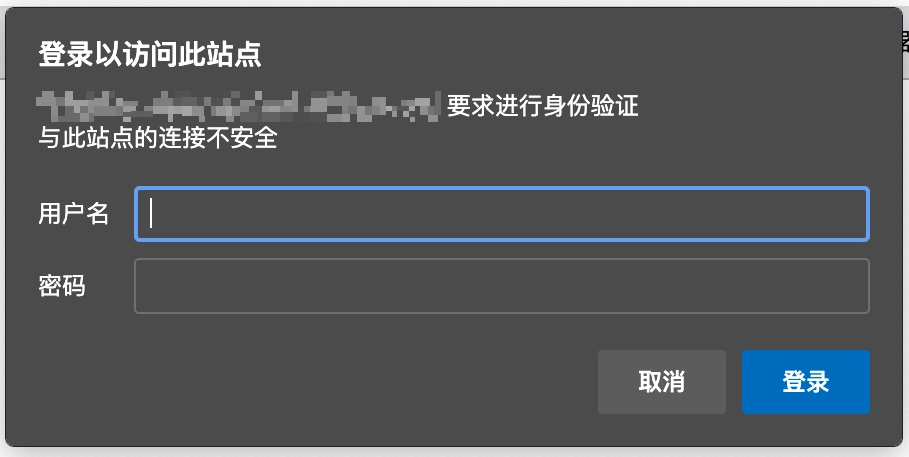
如果提供的名称和密码与密码文件不匹配,则会出现 401 (Authorization Required) 错误
如果你想让浏览器记住你的 basic 密码可以使用 chrome 提供的插件https://gilles.crettenand.info/MultiPass/
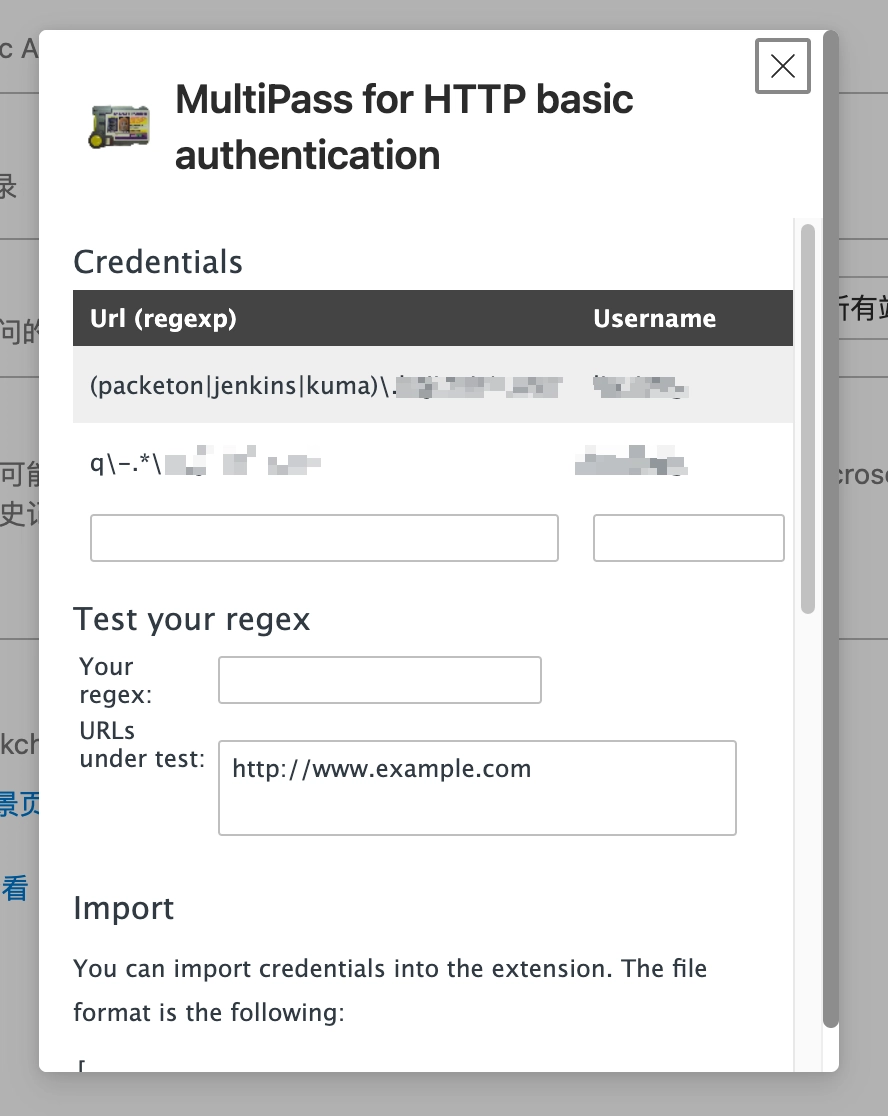
使用 wget/curl 访问
浏览器中使用直接在浏览器中输入地址, 会弹出用户密码输入框, 输入即可访问
# 使用 wget
$ wget --http-user=magina --http-passwd=123456 http://example.com/xxx.zip
# 使用 curl
$ curl -u magina:123456 -O http://example.com/xxx.zip